- Home
- Technical Writing
- Three EDS Authoring Offerings
Three Ways to Author on AEM Edge Delivery Services: Documents, Universal Editor and da.live
By Jack Jin · July 13, 2025 · Updated October 4, 2026 · 3 min read
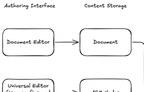
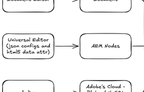
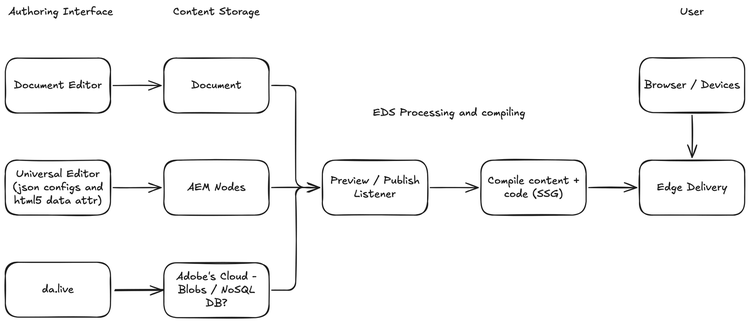
Edge Delivery Services supports more than one way to author content: documents in Google Docs or Word, AEM with the Universal Editor, and da.live, which Adobe had just added in early access when I posted this in July 2025. One diagram shows the three differ only in the authoring interface and where the content is stored. From preview and publish onward they share the same path to the edge, so picking one means picking an editor and a place for the content to live.
What changed since July 2025
- Adobe's developer tutorial on aem.live now uses Document Authoring, the editor at da.live, as the content source "to get you to a live website as fast as possible." It notes that the Universal Editor can be configured for the same project.
- Adobe has since renamed Document Authoring to Experience Workspace, and the documentation that used to live on docs.da.live has moved into aem.live. Adobe's guide to where to author now lists four options: Experience Workspace, SharePoint, Google Drive and the Universal Editor in AEM Sites. SharePoint and Google Drive are the two homes for offering 1 below, so the diagram still holds.
- In October 2025 I built on da.live: I wrote an MCP server for da.live, then tested it across AI platforms.
1. Documents in Google Docs or Word, the original offering
The first offering is the one Edge Delivery Services started with. Authors write in a document editor, Google Docs or Microsoft Word, and the document is the content. Edge Delivery supports Google Drive and Microsoft SharePoint as content sources for these documents.
In June 2025 I put it this way: docs are intuitive, and Google Docs or Word already feel like home. The idea that those surfaces can power live websites is no longer science fiction. It's architecture.
2. AEM with the Universal Editor, content stored as AEM nodes
The second offering came later, with the same concept. Authors work in AEM through the Universal Editor, and the content is stored where AEM content has always been stored, as AEM nodes. On my diagram I noted what drives the editor: JSON configs and HTML5 data attributes in the page.
3. da.live, the newest offering, edited in the browser
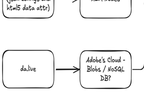
In July 2025 Adobe had just added a third supported authoring capability for Edge Delivery Services: da.live, in early access at the time. Authors write in da.live, in the browser, and the content is stored in Adobe's cloud.
How exactly Adobe stores it, I didn't know. On the diagram I wrote "Blobs / NoSQL DB?", question mark included. That was my guess, and I've left it as a guess.
With da.live, the seven AEM capabilities I'd written about in June 2025 should be eight now.
4. All three share one path from publish to the edge
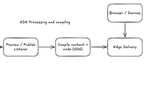
This is how it all works, to me. The three offerings differ only on the left side of the diagram: the authoring interface and where the content is stored. From preview and publish onward, everything is shared. A preview or publish listener picks up the change, Edge Delivery compiles the content together with the code ahead of time, like a static site generator, and the result is served from the edge to browsers and devices.
Pick an offering below to trace its path through my diagram. The first two steps change from one offering to the next; the last three stay the same for all of them, which is the point of the diagram.
Pick an offering
- docs-editor: .711% 17.99% 14.02% 17.00%
- docs-store: 21.85% 17.99% 14.02% 17.00%
- ue-editor: .711% 49.50% 14.02% 17.00%
- ue-store: 21.85% 49.50% 14.02% 17.00%
- da-editor: .711% 81.19% 14.02% 17.00%
- da-store: 21.85% 81.35% 14.02% 17.00%
- listener: 42.99% 49.50% 14.02% 17.00%
- compile: 64.13% 49.50% 14.02% 17.00%
- edge: 85.27% 49.50% 14.02% 17.00%
- browser: 85.27% 17.82% 14.02% 17.00%
-
Author.
- Documents: In a document editor: Google Docs or Microsoft Word.
- Universal Editor: In AEM, through the Universal Editor, driven by JSON configs and HTML5 data attributes.
- da.live: In da.live, in the browser.
-
Store.
- Documents: As a document.
- Universal Editor: As AEM nodes.
- da.live: In Adobe's cloud. I guessed blobs or a NoSQL database.
-
Preview or publish. One listener picks up the change, whichever editor it came from.
-
Compile. Content and code are compiled together ahead of time, like a static site generator (SSG).
-
Deliver. Edge Delivery serves the result to browsers and devices.
docs-editor docs-store listener compile edge browserue-editor ue-store listener compile edge browserda-editor da-store listener compile edge browserlistener compile edge browser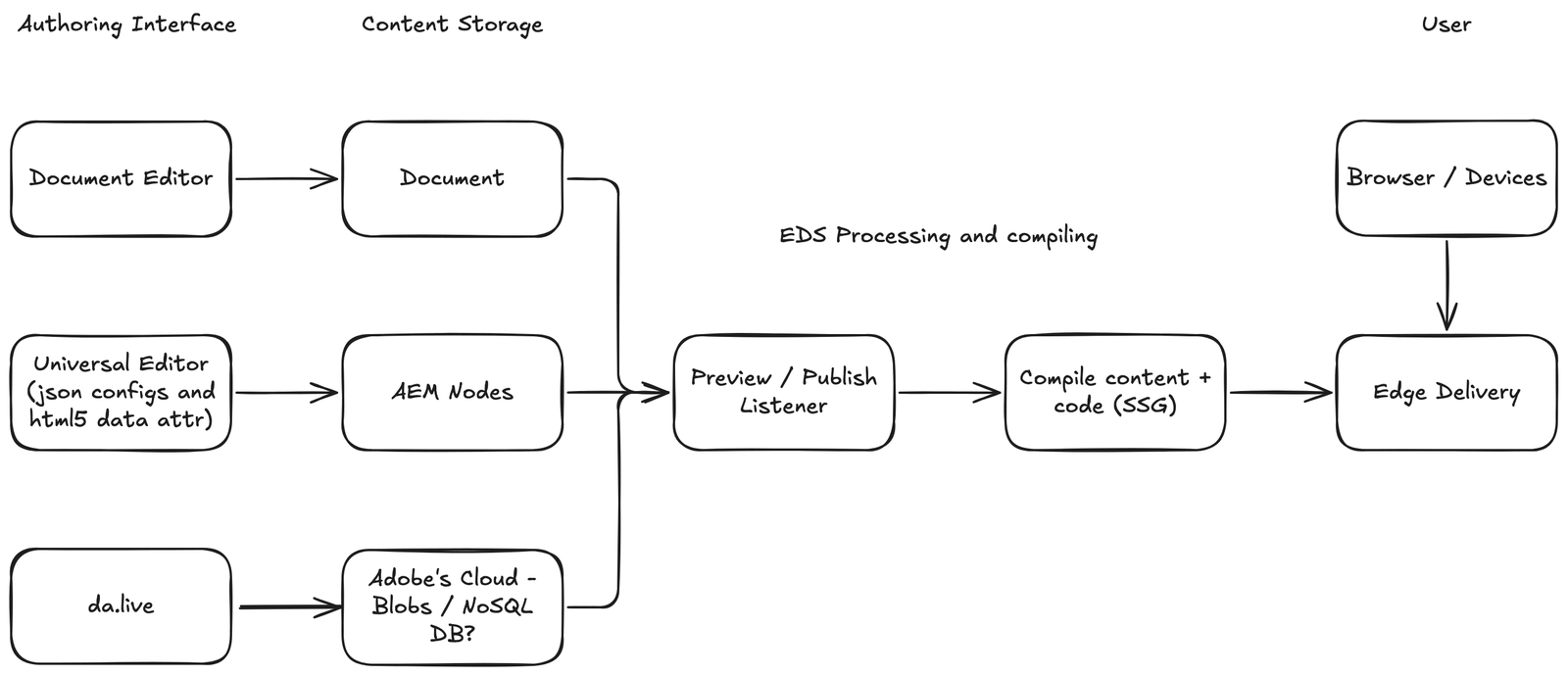
Read that way, choosing an offering means choosing an authoring interface and a place for the content to live. The delivery side is drawn only once.
5. My June 2025 opinions on document authoring and the Universal Editor
These are the opinions I'd already put in writing a month earlier, in Making sense of seven AEM capabilities:
- Document-based authoring in Edge Delivery is fast, scalable and predictable. It doesn't support personalization or omnichannel out of the box, but it offers the lowest friction for publishing.
- Docs-based authoring will scale faster than any other model. The authoring experience is streamlined enough that content teams can scale without deep AEM development effort.
- Most developers underestimate the effort to fully enable the Universal Editor. It's not just a toggle. It's a dev workflow shift, with frontend partners building dialogs and maybe even model definitions.
For how Edge Delivery compares with the rest of the modern web, outside Adobe, see How Adobe EDS stacks up against the modern web.