- Home
- Technical Writing
- AEM Edge Functions on a Laptop
AEM Edge Functions on a Laptop: Google Sign-in, Members-Only Pages and API Data at the Edge
By Jack Jin · October 2, 2026 · Updated October 4, 2026 · 8 min read · Includes my 12:31 video
AEM Edge Functions are Adobe's new way to run your own code on its CDN, in front of an Edge Delivery site. I spent a weekend learning them and got a working version on my laptop: Google sign-in, a members-only section, and a greeting bar with the user's data from an API. Everything runs locally, and the code is open source.
I broke it into the same six parts as the video. Every part links to its moment in the video if you'd rather watch.
AEM Edge Functions: Google Sign-in and Personalization on Edge Delivery Services
Recorded September 20, 2026. Each part below links to its moment in the video, or watch it on YouTube.
1c3485f, with 38 tests, and local/ runs the whole demo. Edge Functions went generally available in AEM 2026.8.0 on August 27, 2026.1. Sign-in and personalization on a static Edge Delivery site
The requirement is a common one. I kept it simple. Sign in with Google, no customer identity platform. Once you're signed in, you see your name in a banner and you can open a part of the site you couldn't before. Then something more fun: the page shows your own data from an API.
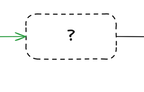
AEM 6.5 and AEM as a Cloud Service would render that on the server. Edge Delivery Services doesn't. The site is static, cached and fast, and I didn't want to touch the site code. So where does the login and personalization code run?
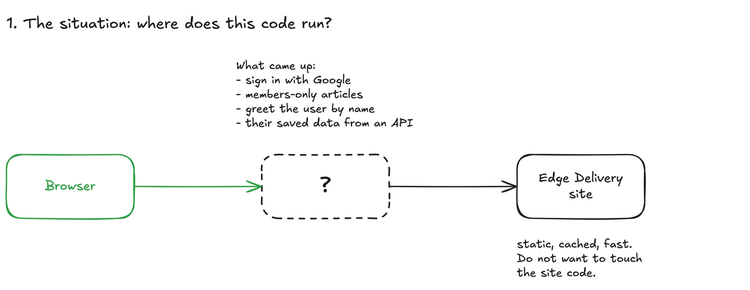
The question I started with. From the board I used in the video.
Watch this part 0:54 The requirement
2. What an Edge Function is, and where it runs
Adobe's architecture diagram explains it well. An Edge Function runs after the CDN cache and before your backends, with a fetch cache of its own. It's part of the CDN, the same idea as other edge platforms like Akamai's or Cloudflare Workers. And the backend can be AEM itself or an external API. My demo does both: it fetches the Edge Delivery page and calls an API.
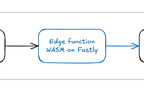
In production, the browser asks Adobe's CDN for a page on your custom domain, and the paths listed in cdn.yaml go to the function. The function is WebAssembly running on Fastly, and it rewrites the HTML on the way back. On my laptop it's the same pattern. Caddy plays the CDN, and Viceroy, Fastly's local runtime, runs the same WebAssembly. (On camera I wasn't sure I was saying Viceroy right.) The one difference is that Caddy sends every request to the function, with no cache in front.
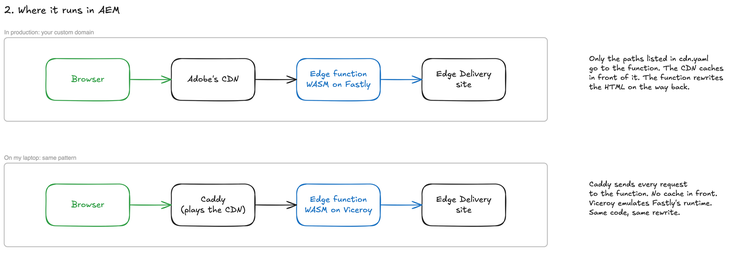
Same code, same rewrite. Only the CDN and the runtime change.
Watch this part 2:33 What an Edge Function is 4:00 Caddy and Viceroy on the laptop
3. Getting Edge Functions running on my laptop
There are two repos: the Edge Delivery site, which I didn't change, and the Edge Function. The Edge Function repo looks a lot like an AEM as a Cloud Service repo. There's a cdn.yaml and an edgeFunctions.yaml that go through Cloud Manager, and a src folder with the JavaScript that gets compiled into WebAssembly. Keep in mind that the JavaScript you write has to be WebAssembly compatible.
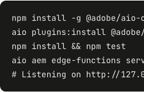
Adobe's setup instructions get you most of the way. These are the commands I ran:
npm install -g @adobe/aio-cli
aio plugins:install @adobe/aio-cli-plugin-aem-edge-functions
npm install && npm test            # 38 passing
aio aem edge-functions serve --watch
# Listening on http://127.0.0.1:7676
Then the Google side. I created an OAuth client in Google Cloud. In the video I called the setting that matters the redirect URIs. It's actually the authorized JavaScript origins, the sites Google will accept a sign-in from, and this flow has no redirect URI at all. I added http://localhost:7676, Viceroy's default port, and https://local.jackzhaojin.com, a hostname Caddy serves over HTTPS. The client secret doesn't matter here, because the function only checks Google's public keys. More on that in part 5.
Caddy, the hosts entry, the mock API and the things that tripped me up are in the repo's local/README.md.
Watch this part 1:34 The Google sign-in client 3:12 Running it locally 5:09 The two repos
4. Signing in with Google at the edge
On the local site I click Sign in with Google. Google's sign-in page comes up, I pick my account, and because the origin is registered correctly, Google lets it through. And here's me logged in. This is actually quite cool in Edge Delivery, because sign-in wasn't something it did natively before.
The three tabs below show the same page three ways: straight from Edge Delivery, through the function while signed out, and through the function signed in. The site code is the same in all three; only the function adds the bar.

The page on aem.page, straight from Edge Delivery
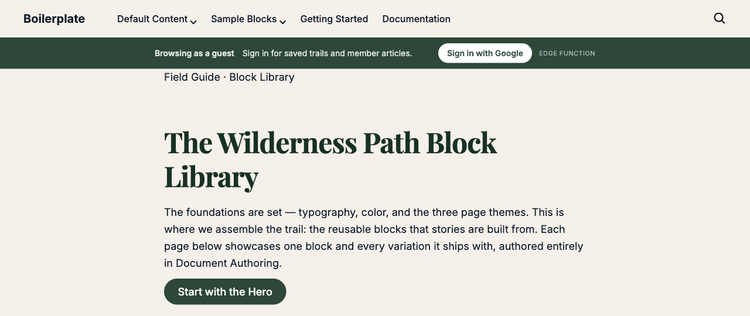
The same page through the function, signed out
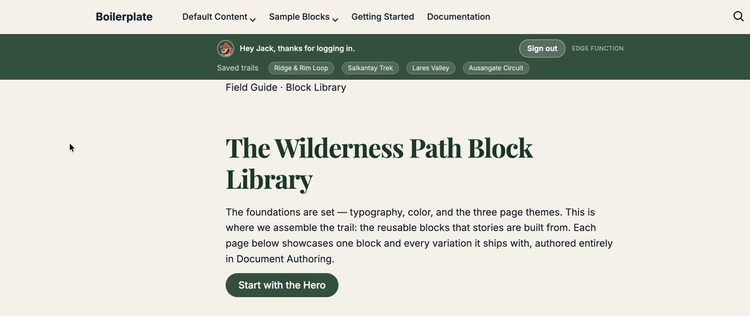
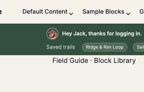
Signed in: my name, my Google picture and my saved trails from the API
The thing I'd stress is that the greeting isn't client-side JavaScript doing things after the page renders. It comes back in the HTML, before any JavaScript has run. Edge-side rendering, I should say.
Google gives the browser a token. The function checks it and stores it as a cookie. On every request after that, the function verifies the cookie, fetches the page from Edge Delivery, calls the API with the token, and sends back the page with your details in it.
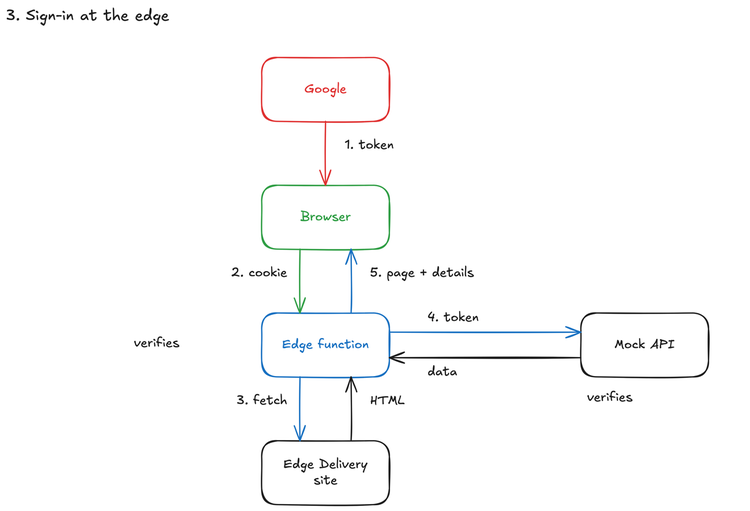
The sign-in flow, in the order it happens. The page is fetched before the API call.
The members-only part works the same way. Open an article that needs a login while you're signed out, and the function sends you to sign in, then brings you back. The login experience could obviously be better. For a weekend demo, it's what I have.
Watch this part 5:38 Signing in with Google 7:51 The sign-in flow 8:32 The members-only page
5. Proving the token is checked against Google's public keys
This isn't just a fake Google sign-in. The function doesn't blindly accept what Google's script tells it. On every request it checks the token against Google's public keys, which Google publishes as a JWKS document. The checks run in this order, and the claims only get read after the signature holds:
src/lib/google-token.js, lines 27 to 53
  // 1. Only the algorithm Google uses. Never let the token pick something weaker.
  if (header.alg !== 'RS256') throw new Error(`unsupported algorithm "${header.alg}"`);

  // 2. Find the public key the token says it was signed with.
  const jwks = await getJwks();
  const jwk = (jwks.keys || []).find((key) => key.kid === header.kid);
  if (!jwk) throw new Error(`no published key matches kid "${header.kid}"`);

  // 3. Check the signature over header.payload.
  const key = await crypto.subtle.importKey(
    'jwk',
    { kty: jwk.kty, n: jwk.n, e: jwk.e },
    { name: 'RSASSA-PKCS1-v1_5', hash: 'SHA-256' },
    false,
    ['verify'],
  );
  const valid = await crypto.subtle.verify(
    'RSASSA-PKCS1-v1_5',
    key,
    signature,
    new TextEncoder().encode(signingInput),
  );
  if (!valid) throw new Error('signature is invalid');

  // 4. Only now look at the claims: issuer, audience, expiry.
  const problems = checkClaims(payload, { issuers, audience: clientId, now });
  if (problems.length > 0) throw new Error(problems.join('; '));
Below, the same four checks run in your browser, with the same error messages, on tokens signed with a demo key made on this page instead of Google's. Pick a token. The valid one passes all four. Each of the other five is a way to fake or reuse a token, and each is stopped at a different check. Note that the edited name fails at the signature, so the fake name is never read. The line at the bottom says what the page would show that visitor.
token lab · the same four checks as src/lib/google-token.js
- A valid token
- Name edited after signing
- Signed with someone else's key
- Algorithm set to none
- Issued for another site
- Expired an hour ago
The cookie holds this token. Three parts, split by dots.
eyJhbGciOiJSUzI1NiIsImtpZCI6ImRlbW8ta2V5LTEiLCJ0eXAiOiJKV1QifQ.eyJpc3MiOiJodHRwczovL2FjY291bnRzLmdvb2dsZS5jb20iLCJhdWQiOiJkZW1vLWNsaWVudC5hcHBzLmdvb2dsZXVzZXJjb250ZW50LmNvbSIsInN1YiI6IjExMDI0ODQ5NTkyMTIzODk4NjQyMCIsImVtYWlsIjoidHJhaWwucmVhZGVyQGV4YW1wbGUuY29tIiwibmFtZSI6IlRyYWlsIFJlYWRlciIsImdpdmVuX25hbWUiOiJUcmFpbCIsImlhdCI6MTc5MDAwMDAwMCwiZXhwIjoxNzkwMDAzNjAwfQ.fFY838nLwKZdXiDSYa5JeLfyWP8jORxm-IzPV5mEl2TCwDfqLP-LjZdHlupGhdhR7pTJp3bqwnexcv8KWLte-YLslNoUhn15XY8zUF4f7znjL2tgk8pYXTj-w1xFPQccNn5QFV4bNISARY8l7qDvdu-dcJ8VmN5Af3Ge8K9aZ-DxJOWoFxCNZgOQMQnzu7e6KQChnmsYpJmdh3riftqhKzzdQqbxMAjO1B0DGN4qhFlCXpGA3e1jhcqjpSdCzNLjcUDm_L2lbvzHCGvBlANB-i3rEoiOqF86XD2ZXmfDCAdyBSzetxbHnFom-8hZhPXKY5ck1lvgpavK5ppzGb3Ziw
Decoded, nothing is secret. Anyone can read it and anyone can edit it.
{
  "header": {
    "alg": "RS256", "kid": "demo-key-1"
  },
  "payload": {
    "iss": "https://accounts.google.com",
    "aud": "demo-client.apps.googleusercontent.com",
    "email": "trail.reader@example.com",
    "name": "Trail Reader",
    "exp": 1790003600
  }
}
Published public keys
kid demo-key-1 n: generated in your browser
A demo key pair made on this page. Google's real keys are at googleapis.com/oauth2/v3/certs.
- Algorithm is RS256 Never let the token pick something weaker.
- Key ID is published Find the public key the token says it was signed with.
- Signature matches Verify header.payload against that key.
- Claims are acceptable Only now: issuer, audience, expiry (60 s leeway).
With JavaScript on, this signs real tokens in your browser and runs the four checks on each one.
It's very possible to do a full introspection instead, where you ask the identity provider about the token. That needs a client secret, and I just didn't do it for this demo. A public key check is enough to know the token is real. One of the biggest benefits of edge-side compute is that it can do these token checks fairly quickly.
Watch this part 6:50 Checking the token against Google's public keys
6. Calling an API from the edge
This last part goes past sign-in. The function can also call an API in the same request, the server-side rendering we all miss and love from AEM 6.5. For this demo the API is completely mocked up: /trails returns your saved trails. Once you're logged in, the API knows who you are because the function sends it the same Google token as a Bearer header, and the API verifies that token itself. It trusts the token, not the edge.
src/proxy.js, lines 44 to 57
  // Signed in: ask the first-party API for this visitor's data while we have the
  // page in hand, so the result is rendered into the HTML, not fetched by the browser.
  let trails = null;
  if (session.user) {
    try {
      trails = (await fetchTrails(session.token)).trails;
    } catch (err) {
      console.log(`trails unavailable for greeting: ${err.message}`);
    }
  }

  const url = new URL(req.url);
  const html = await res.text();
  const body = injectGreeting(html, { user: session.user, path: `${url.pathname}${url.search}`, trails });
So the saved trails in the greeting bar aren't a client-side fetch. They're baked into the HTML the function returns.
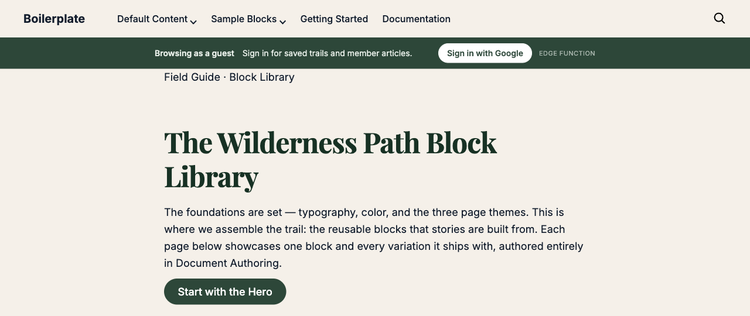
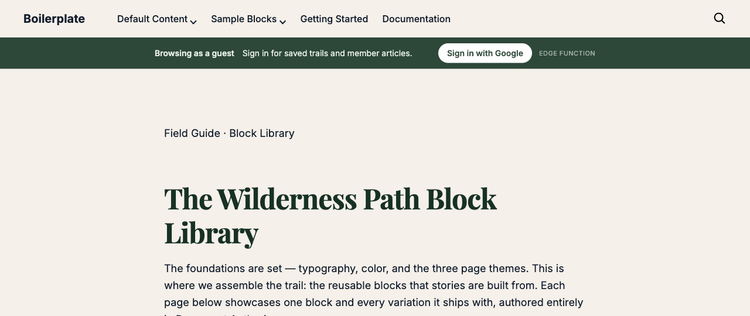
My first version put the bar inside <main>. The layout broke. Edge Delivery's aem.js turns a <div> inside <main> into a section, and a <div> inside a section into a block. My bar became a section, its inner <div> became a block called edge-greeting__inner, and the page went looking for a block script that doesn't exist. Now the bar goes just before <main>. It's also HTML and CSS only, because aem.page sends a Content Security Policy that would block an injected script.
Switch between the two placements below to see the DOM aem.js produces for each and what the browser console reports.
The DOM after aem.js runs
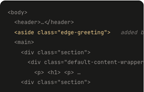
<body>
  <header>…</header>
  <aside class="edge-greeting">   added by the edge
  <main>
    <div class="section">
      <div class="default-content-wrapper">
        <p> <h1> <p> …
    <div class="section">
      …
- mark: <aside class="edge-greeting">
- note: added by the edge
The page
console: no errors
The DOM after aem.js runs
<main>
  <div class="edge-greeting section edge-greeting__inner-container">
    <div class="edge-greeting__inner-wrapper">
      <div class="edge-greeting__inner block">
        <div class="edge-greeting__row">
  <div class="section">
    <div class="default-content-wrapper">
      <p> <h1> <p> …
- mark: <div class="edge-greeting
- add: section edge-greeting__inner-container
- mark: ">
- add: <div class="edge-greeting__inner-wrapper">
- mark: <div class="edge-greeting__inner
- add: block
- mark: ">
The page
404 /blocks/edge-greeting__inner/edge-greeting__inner.css
failed to load block edge-greeting__inner
404 /blocks/edge-greeting__inner/edge-greeting__inner.js
failed to load module for edge-greeting__inner
src/lib/personalize.js injected as a <div> inside <main>. Highlighted: what aem.js added. An <aside> inside <main> is left alone, because aem.js only decorates <div>s. Outside <main>, it doesn't matter.Watch this part 9:13 Calling an API from the edge
Edge Functions bring server-side rendering back, with limits
If nothing else, I hope this gives you a good sense of what Edge Functions can do and how to think about designing with them on an Edge Delivery or AEM as a Cloud Service project. Here's where I landed:
- It runs on the edge. The sign-in, the members-only page and the saved trails all come back in the HTML, before any JavaScript has fired in the browser.
- It's fast. One of the biggest benefits of edge compute is that it can do a check like this one, a Google token against Google's public keys, fairly quickly.
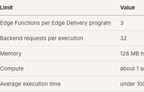
- It has limitations. Your JavaScript has to be WebAssembly compatible, and it runs with different limits than a server you own. Check Adobe's documentation for the current numbers before you design around them.
- The potential is high. The server-side rendering we all miss and love from AEM 6.5 is very much possible again on AEM as a Cloud Service and Edge Delivery Services. It just gets executed on the edge.
My demo stops short in a few places: the trails API is mocked up, the token check uses public keys without a full introspection, and the login experience could obviously be better. All of it is open source, so if you're technical, clone the repo and follow local/README.md to see how you could expand on it.
Watch this part 10:55 Recap